
The New QTRIX Chat Makes Collaboration Easier
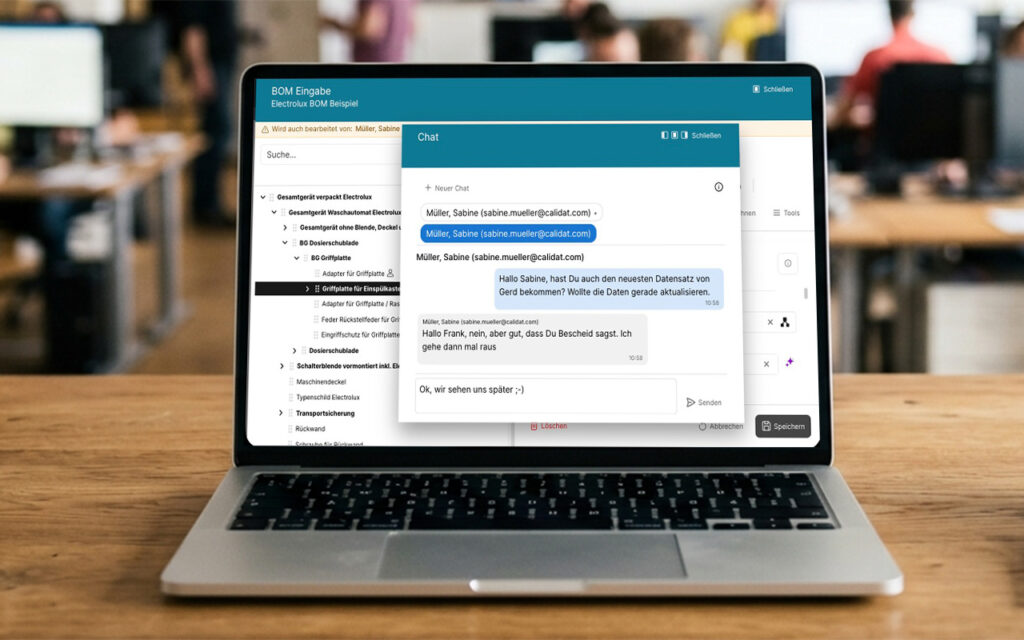
Seamless Communication Without Switching Tools: With the new chat feature, QTRIX brings communication directly into the workflow. Users can see who is currently working on a data record and discuss questions or coordinate activities directly within the platform—enabling faster decisions, reducing duplicate work, and improving collaboration.
Tasks Now Available Throughout QTRIX
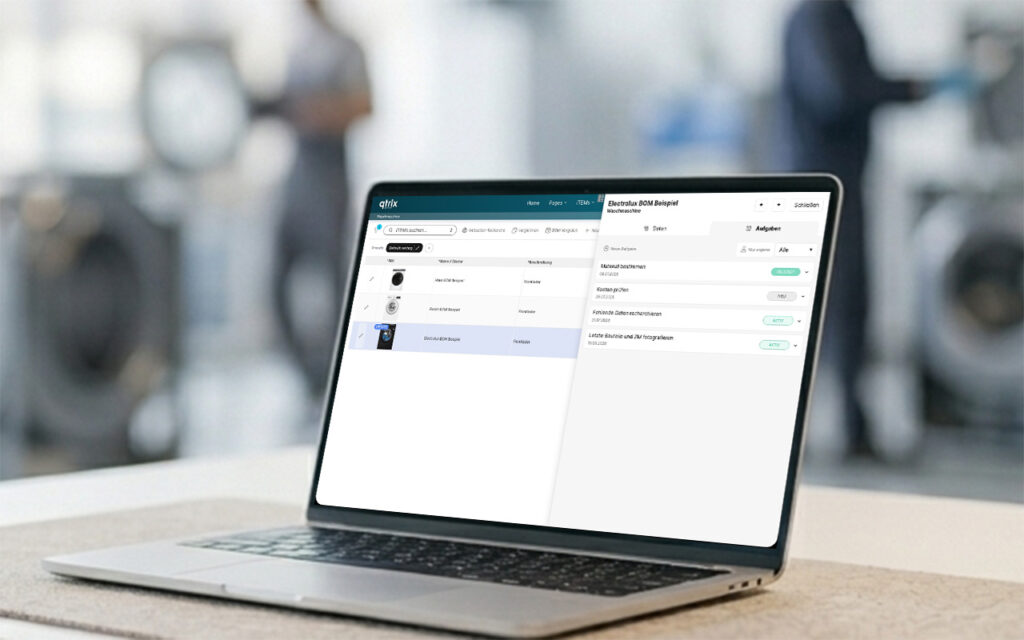
Manage tasks exactly where they arise: With the new iTEM Tasks, QTRIX extends task management across all areas of the platform. Tasks can now be created directly within an iTEM, independently of Tracking, assigned to responsible users, and monitored centrally—providing greater transparency, structured collaboration, and more efficient processes.
New Feature in QTRIX: Workflows in the iTEM Pool
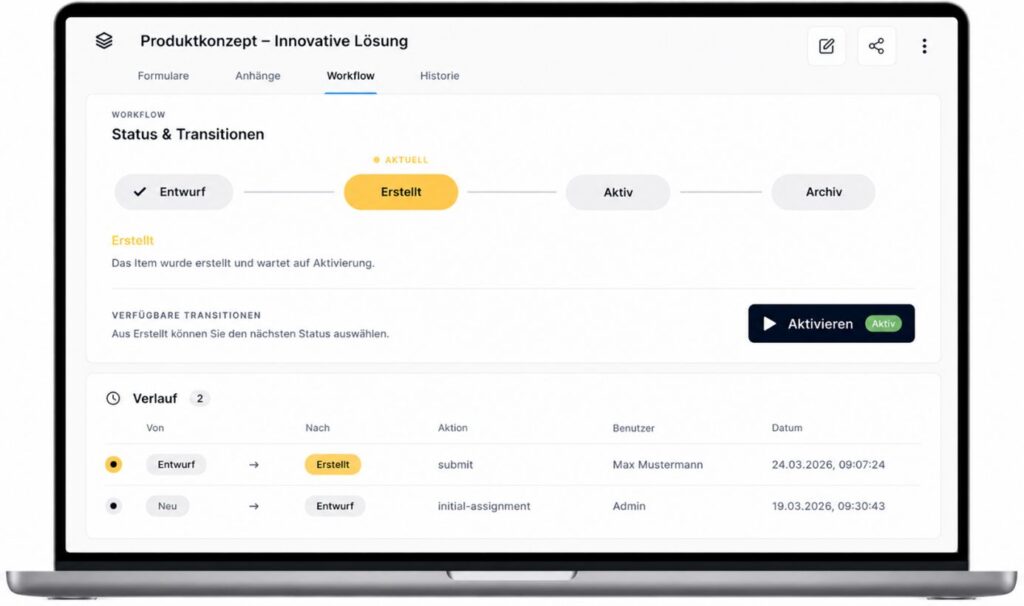
With the new Workflow System, CALIDAT extends the iTEM Pool with structured process management for approvals, reviews, and authorizations. Defined process steps, flexible permissions, and complete traceability of status changes enable workflows to be standardized and responsibilities to be clearly defined.
Watchlists in the iTEM Pool – Intelligently Organize Personal Collections
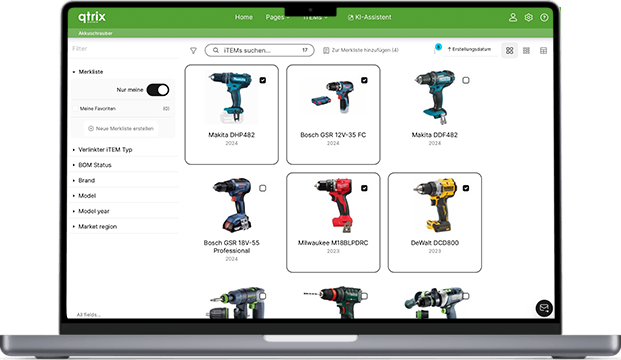
With the new Watchlist feature, CALIDAT expands the iTEM Pool with a personal and collaborative workspace where users can organize, filter, and share relevant iTEMs in a structured way. Thanks to seamless integration, flexible filtering options, and clear permission concepts, quick access to important information and cross-team collaboration are significantly simplified.
The new QTRIX camera application is now available
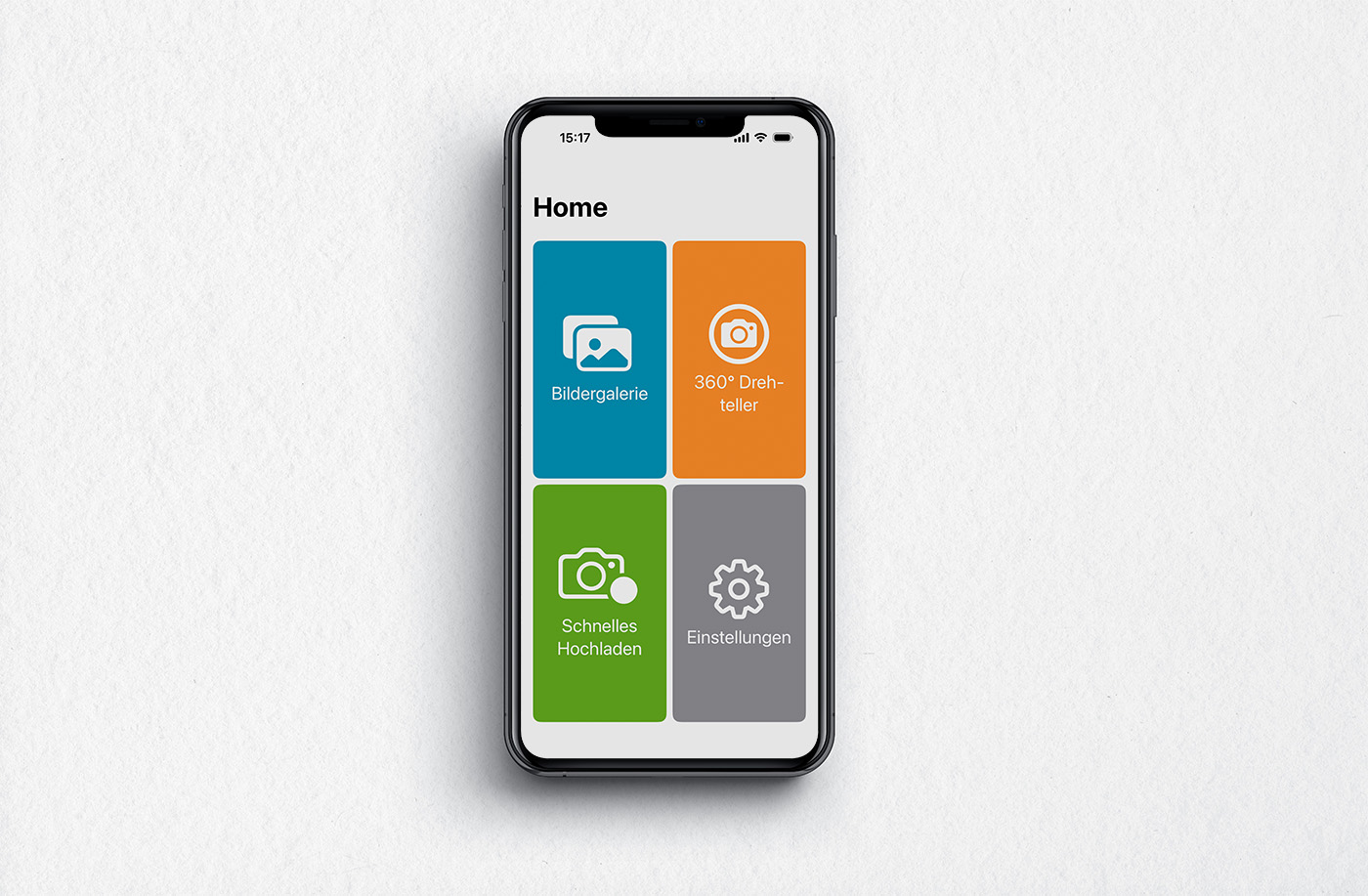
With the new QTRIX Camera App, images can be captured on the go and utilized directly within QTRIX without any additional intermediate processing steps. Whether single images, rapid image sequences, or automatically generated 360° views – the application simplifies and streamlines visual documentation.
The new calendar widget – greater overview in everyday QTRIX use
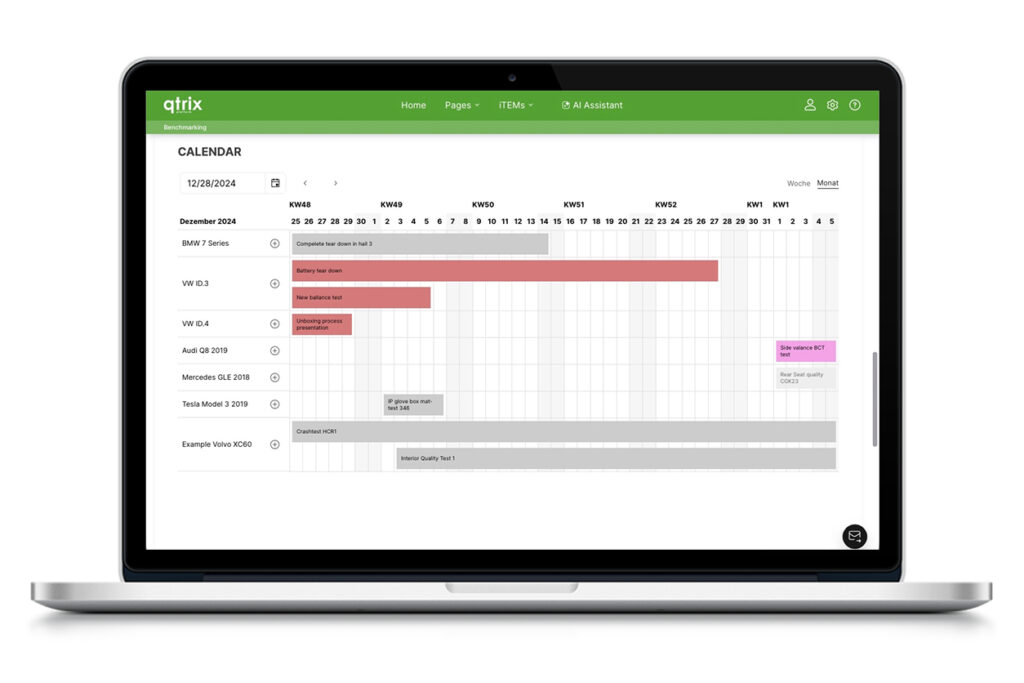
The calendar widget in QTRIX provides a clear, visual representation of time-related information such as exams, tests, availability, and project workflows directly within the platform. With flexible configuration, directly editable entries, and the ability to use multiple calendars in parallel, it supports efficient and structured scheduling for a variety of use cases.
Start your Value Journey – with FEV Consulting & QTRIX

Our Jump-Start program rapidly and pragmatically integrates Value Management, Benchmarking, and Cost Engineering into your organization—tailored to your team and objectives. Initial results can be achieved within just a few weeks, supported by our digital platform QTRIX.
New CT 20 turntable for precise 360° documentation of components
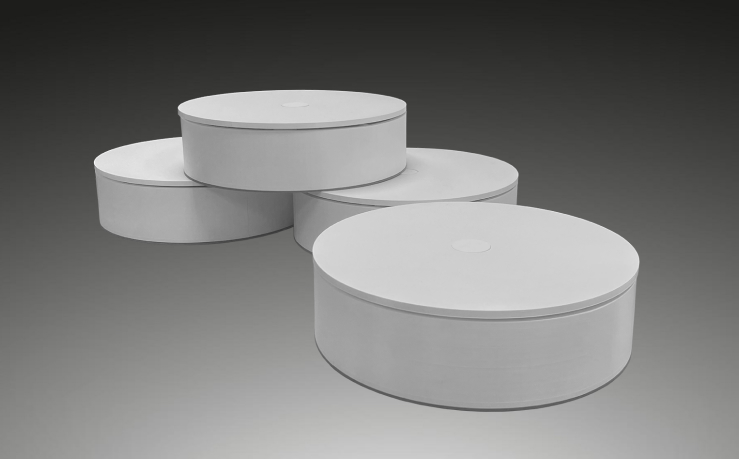
The compact CT 20 from Calidat is suitable for components up to 20 kg and, in combination with the QTRIX platform, enables fully automated creation of 360° images. Weight data can optionally be recorded via an additional scale module.
The QTRIX AI Chatbot – intelligent data utilization via text input
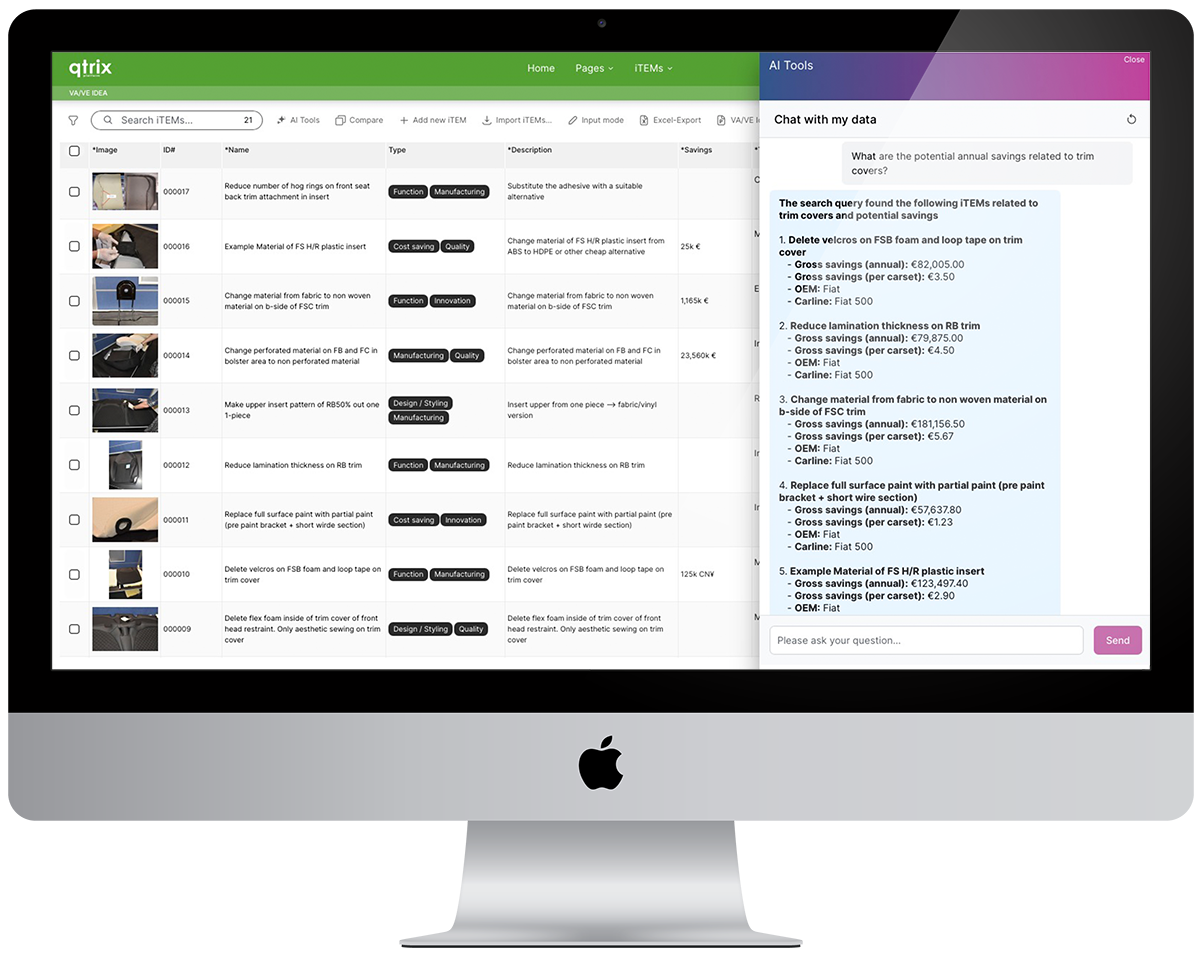
The QTRIX AI Chatbot provides all user groups—from beginners to experts—with an intuitive access to complex enterprise data, enabling informed decisions to be made quickly, securely, and without technical expertise.
AI Studio: automated image recognition and parts list generation directly within QTRIX.
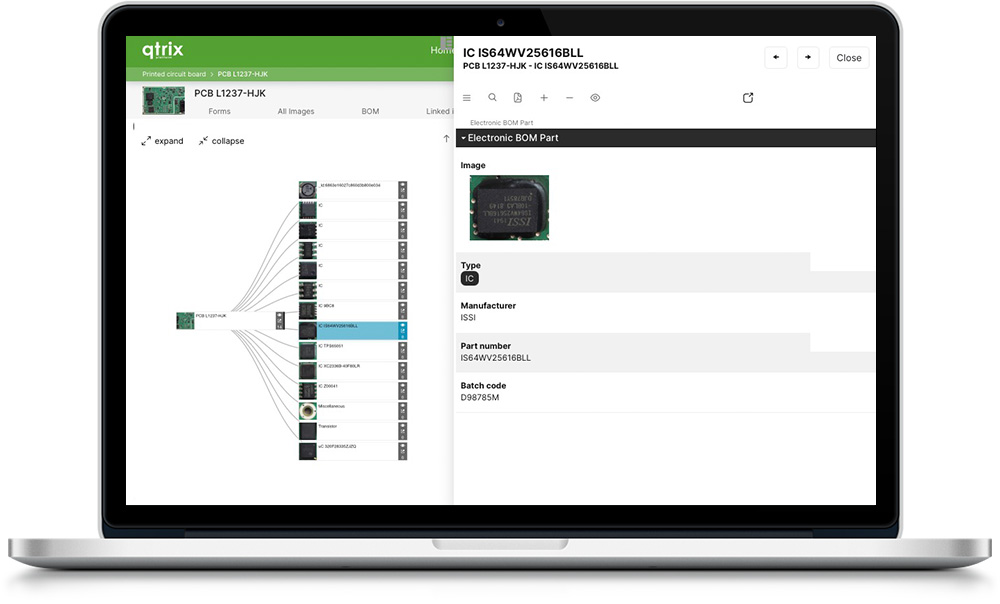
With the new AI Studio module in QTRIX, you can automatically generate structured parts lists from image data using AI—quickly, accurately, and versatile for technical components of all kinds.