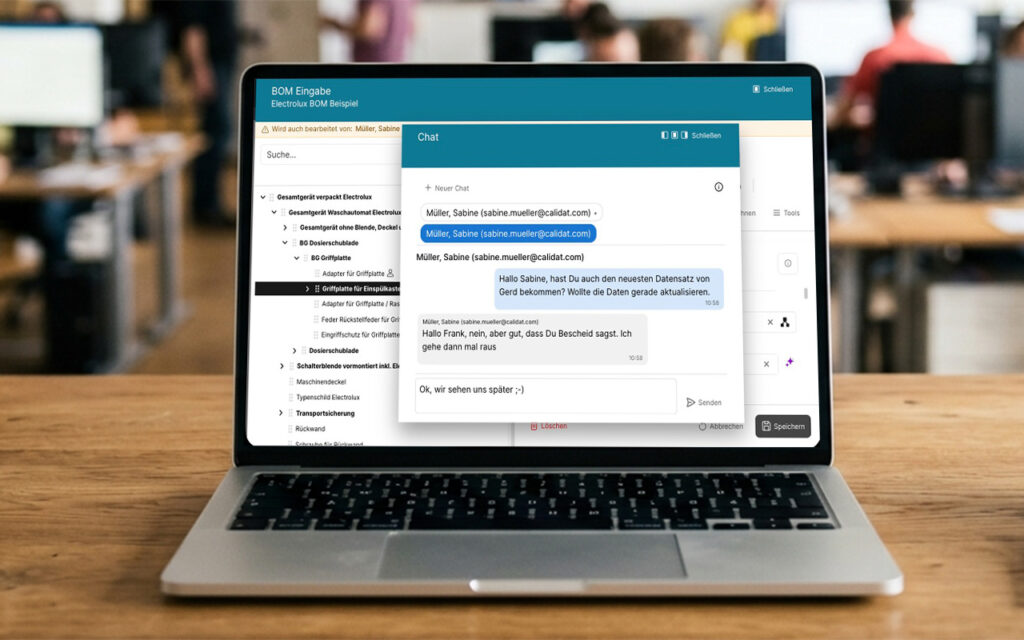
Seamless Communication Without Switching Tools: With the new chat feature, QTRIX brings communication directly into the workflow. Users can see who is currently working on a data record and discuss questions or coordinate activities directly within the platform—enabling faster decisions, reducing duplicate work, and improving collaboration.
The New QTRIX Chat Makes Collaboration Easier
Does This Situation Sound Familiar?
You are working on a bill of materials, adding material information, or documenting benchmarking data. Just before saving your changes, you notice that a colleague has the same data record open.
Who saves first? What changes have already been made? And who is currently working on which part of the bill of materials?
Until now, this often only became apparent afterwards, resulting in follow-up questions, duplicate work, and unnecessary coordination.
With the latest version of QTRIX, collaboration is now significantly more transparent.
QTRIX Shows Who Is Currently Working
As soon as multiple users open the same data record, QTRIX provides real-time visibility. You can immediately see who is currently making changes and coordinate your work accordingly.
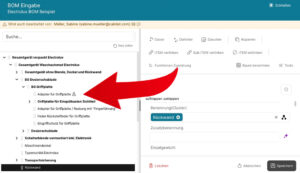
This is particularly useful when collaborating on complex bills of materials (BOMs). QTRIX not only shows when other users are working within the same BOM, but also indicates exactly which position they are currently working on.
This makes it easier to assign specific sections and coordinate parallel work more efficiently.
One Click – and the Conversation Begins
But what happens when two users need to coordinate their work? That’s exactly what the new integrated chat is designed for.
Instead of searching for a colleague in Microsoft Teams, writing an email, or picking up the phone, users can start the conversation directly within QTRIX.
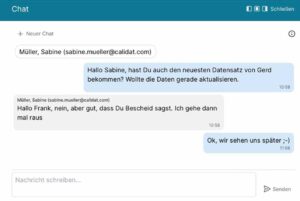
A quick message is all it takes:
- “I’m just adding the material data.”
- “I’m almost finished with this assembly branch.”
- “Could you take over the lower section afterwards?”
Communication takes place exactly where it is needed—directly within the relevant data record.
Not Just for Benchmarking
Of course, it is not only benchmarking projects that benefit from this new feature. Wherever multiple users work together to capture or update information, the presence indicator makes collaboration easier and more transparent.
Whether maintaining product data, documenting new ideas, adding cost information, or recording evaluations, users can immediately see when someone else is already working on the same data record.
This prevents duplicate work and significantly reduces the need for coordination.
A Chat for Users – a New Collaboration Feature for Administrators
The new feature is much more than a traditional messaging tool.
The chat is fully integrated into the QTRIX platform and works seamlessly with the new presence indicator. Users can immediately see when a data record or BOM is being edited simultaneously and coordinate directly within QTRIX—without switching between applications.
Especially when working with complex product structures or international teams, this significantly shortens communication channels and enables much more efficient collaboration.
More Transparency. Fewer Interruptions.
With the new chat and presence feature, QTRIX brings communication exactly where it belongs—directly to the data.
Instead of having to track down colleagues first, users can coordinate directly within the context of their work. This reduces duplicate work, saves time, and makes collaboration on product data noticeably easier.