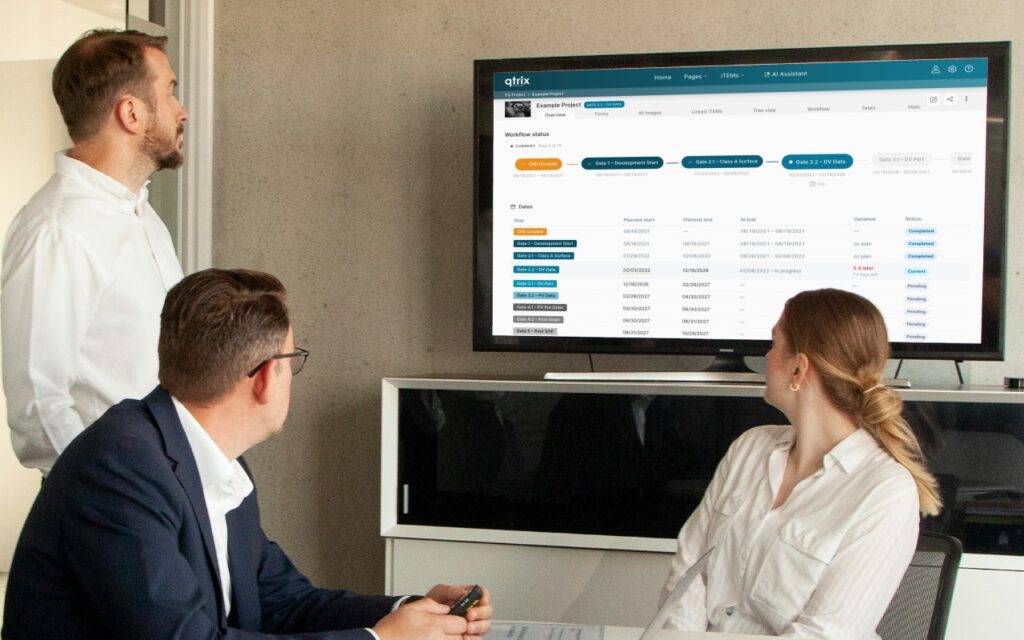
Control your processes directly in QTRIX: With our new QTRIX release, every iTEM goes through a clearly defined workflow – with matching permissions, clear responsibilities, and complete traceability. QTRIX Workflow Advanced adds deadlines, roles, tasks, and savings so that measures can be implemented on schedule and their success can be tracked.
With the workflow, you control your processes directly in QTRIX. A workflow describes which steps an iTEM goes through – for example, a VA/VE idea from "Draft" through "Evaluation" and "Implementation" to "Completed". It also defines who is allowed to do what in which step and who approves the next step. For users, this means: At the iTEM, you can see at any time where a process stands, what needs to be done next, and who is responsible.
The workflow is available in two license tiers. QTRIX Workflow controls the process and responsibilities. QTRIX Workflow Advanced adds deadlines, roles, tasks, and savings – in other words, everything you need to implement measures on schedule and track their success.
QTRIX Workflow: Processes and Responsibilities
Clear process at the iTEM. At the iTEM, you see the current step, the progress ("Step 3 of 5"), and a step bar with all stages of the process. Hover the mouse over a step, and a tooltip explains what needs to be done there.
Only the actions you are allowed to perform. Depending on the step and permission, buttons such as "Approve", "Reject", or "Suspend process" appear. Where necessary, QTRIX asks for a reason or comment.
Permissions that match the process step. What you can see and edit on an iTEM can change from step to step. For example, a draft is initially visible only to its creator and then editable by the reviewers. Permissions can also be tied to people entered in the iTEM, e.g. in the "Responsible" field. If responsibility changes, it is enough to change the field.
Complete traceability. Every step change is logged with user, time, reason, and comment.
Analyzable like any other field. In the iTEM pool, in dashboards, and in Excel exports, you can filter and sort by step or reason, for example: "Which ideas are currently being evaluated?" Through automations, participants are notified when the status changes.
QTRIX Workflow Advanced: Deadlines, Roles, Tasks, and Savings
Workflow Advanced includes all functions of QTRIX Workflow and adds four functions that the administrator switches on individually per workflow:
Deadlines and due dates. A planned duration is stored for each step. When the process starts, QTRIX creates a schedule from it, and on the iTEM you see planned and actual dates for each step. QTRIX checks the deadlines every night. Steps shortly before their deadline are marked as an early warning, overdue ones as overdue. This is visible on the iTEM, in the iTEM pool, and in exports. On request, participants are notified automatically.
Roles. In the Workflow tab, a role list shows who is involved in this iTEM, e.g. project manager, coordinator, and controller. Authorized users can reassign the roles directly there.
Tasks per step. Tasks are assigned to the current step, and a counter shows how many are completed. Open tasks automatically move along when the step changes, so nothing gets lost.
Savings. Savings are maintained directly on the iTEM in the "Savings" tab. This way, the process progress and the financial effect of a measure are in one place. For each step, you can define when savings may be edited – for example, only during implementation, after which they are locked. The prerequisite is the Savings module.
Note for users of the Tracking process
Anyone who has been working with the Tracking process can transfer their processes completely into workflows. This includes planned data, actual times, and the history of running processes. Until the changeover, Tracking remains usable unchanged.
Available from QTRIX v26.3. Contact us if you would like to introduce the workflow or upgrade to Workflow Advanced.